ĐÀO TẠO DOANH NGHIỆP : SỞ KHOA HỌC CÔNG NGHỆ TỈNH ĐỒNG NAI

ENTERPRISE TRAINING: DONG NAI DEPARTMENT OF SCIENCE AND TECHNOLOGY.

HÌNH ẢNH TẬP HUẤN LỚP SHAREPOINT WORKFLOW VÀ KIẾN TRÚC SHAREPOINT

PHOTOS OF SHAREPOINT WORKFLOW AND ARCHITECTURE CLASS.

HÌNH ẢNH TẬP HUẤN LỚP SHAREPOINT WORKFLOW VÀ KIẾN TRÚC SHAREPOINT

PHOTOS OF SHAREPOINT WORKFLOW AND ARCHITECTURE CLASS.

Showing posts with label Sharepoint Central Admin. Show all posts

Sunday, December 1, 2013

Restore deleted site collection sharepoint 2010 SP1

It have available feature in Sharepoint 2010 SP1=> We have 2 the site collections (Top-level site and site collection)


We delete 2 site collections
Now 2 site collection is deleted
Restore deleted site collection using “SharePoint 2010 Management Shell” => Open “SharePoint 2010 Management Shell” as Administrator
Input get-spdeletedSite

The result: we have 2 site collections was deleted


Input Restore-spdeletedsite –identity “siteid” to restore site collection then enter

Continue input yes then enter


The result as top level site is restored:

Continue restore the second site collection
The result as:

So we finish the guide step. Good luck !!!

Tuesday, April 9, 2013

Configure quotas and locks Site Collections


1.       When you upload document, you met the error

2.       Go to Central Admin >> Application Management >> under Site Collection click to Specify quota templates and configure follows as:

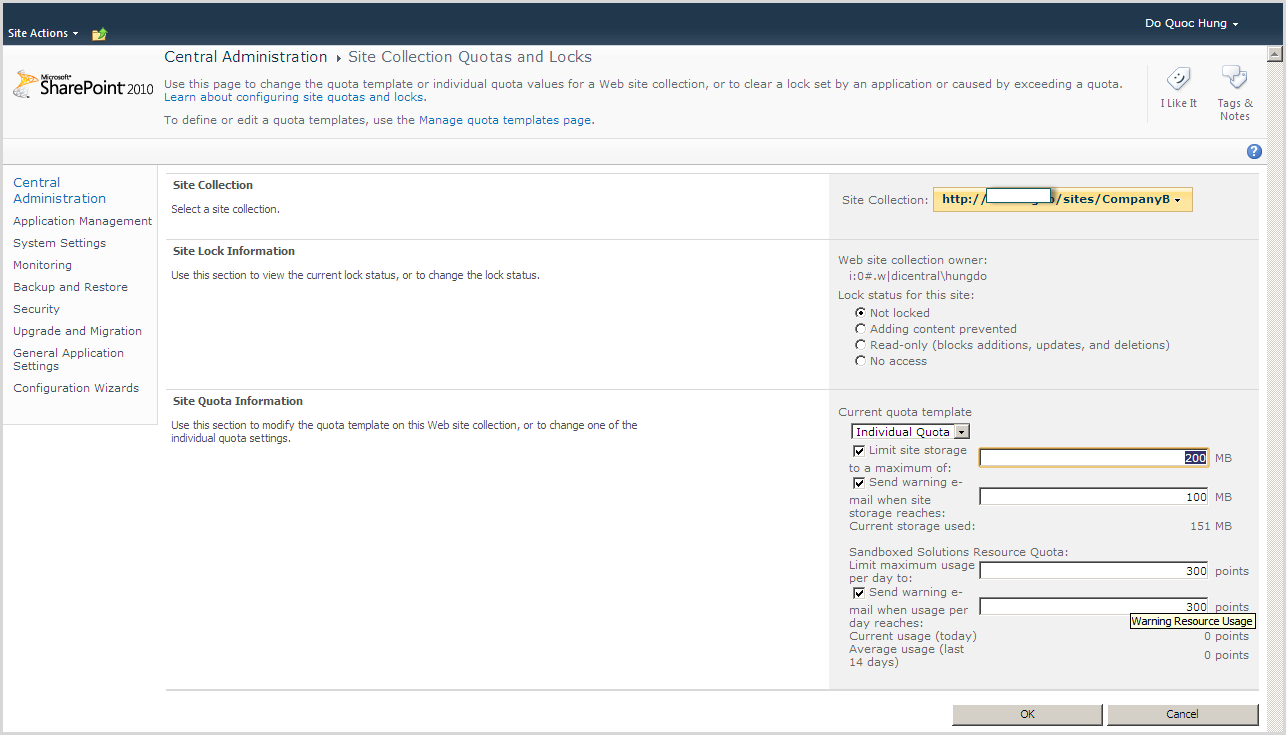
3.       Go to Central Admin >> Application Management >> under Site Collection click to Configure quotas and locks and configure follows as:

4.       Change value follow as:

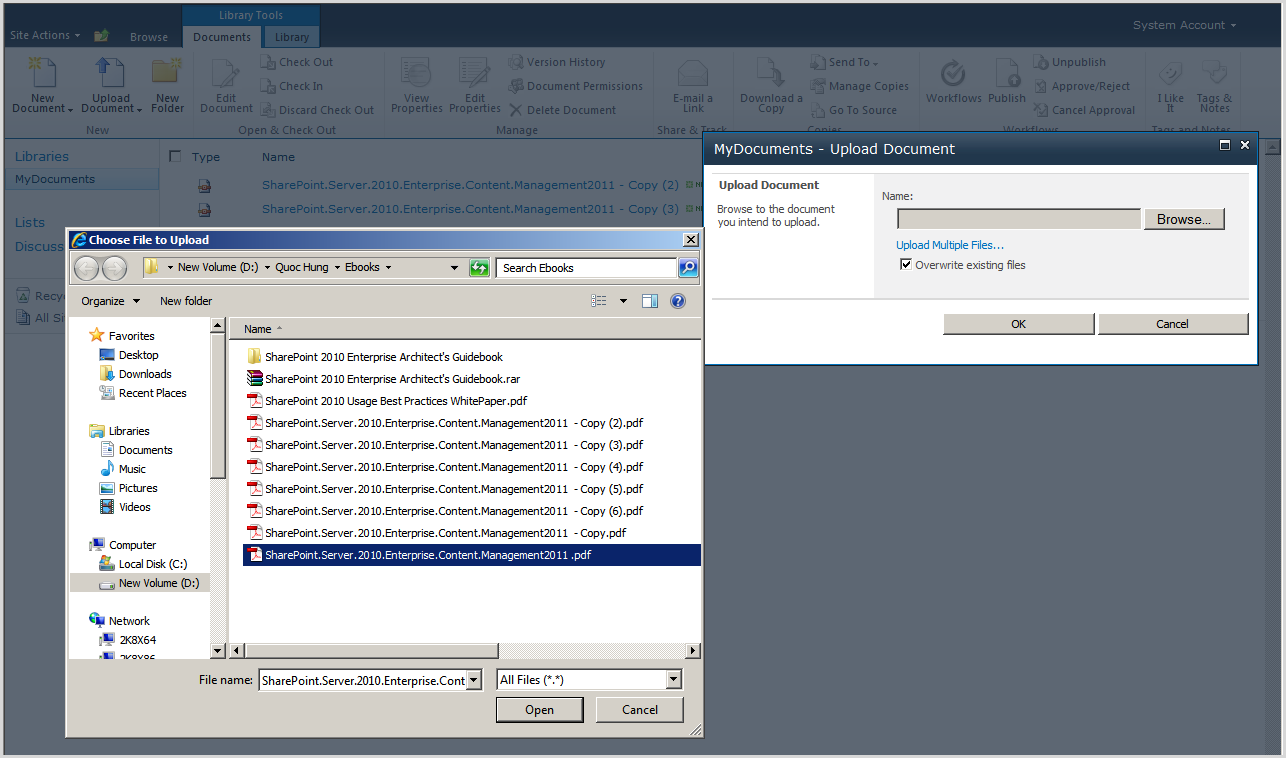
5.       Upload document to sharepoint library


6.       Upload successful

7.       Go to Site Collection | Site Actions | Site Settings | under Site Collection Administration click to Storage Metrics